
REMINDERS · Before due date
How to get a bill reminder before the due date (Android)
Late. Fee. Again. You know the loop. Just add a bill once. Below is the same flow as in the 30-second video. No account. Data stays on your phone.
More on the no-sign-up approach: Android bill reminder without an account.
What you set up in under a minute
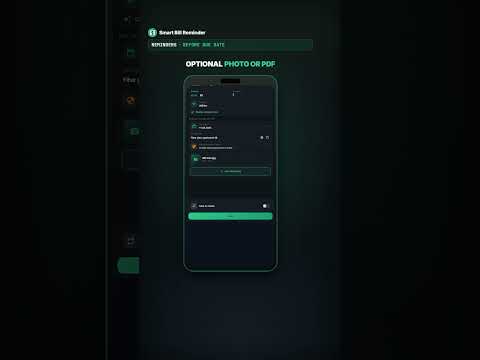
- first bill saved (title, amount, category, due date, optional photo or PDF),
- an alert before the due date (the video shows 3 days early; you pick the global offset in Settings),
- from the notification: View, Edit, or Mark as Paid without digging through the whole app.
This is not an evening project. Open → plus → New Bill → Save.
Open the app
After install you land on the home feed. No sign-up. Data stays on the device.
Plus → New Bill
Tap the plus button. The add sheet opens with options such as New Bill, Add Daily Payment, and Voice Command. For this flow, pick New Bill.
Fill the form and Save
Same as the video (example: internet):
- Title – e.g. Internet
- Amount – e.g. 89.99
- Category – type or pick (e.g. Utilities)
- Due date
- Optional – photo or PDF
- Save
The bill is on your list.
Reminder before the due date (one global setting)
The video shows a 3 days before example: due 19 Aug, ping when 3 days are left. That is only the demo.
In Settings you set a global threshold for how many days before the due date the yellow and red alerts fire. The same rule applies to every bill. The point: get nudged before the due date, not on the day you already owe a fee.
What to do with the notification
When the alert fires, you get a card with the name, amount, and category. Actions:
- View – open details
- Edit – fix the date or amount
- Mark as Paid – after you pay, so alerts do not keep firing
Until you mark it paid, the bill stays open.
What to add later
One bill and a before-due alert are enough to start. Later you can add recurring bills, a home-screen widget, receipt OCR, and subscription audit.
Three short answers
Do I need an account?
No. Install it and add a bill.
How many days before the due date will I get reminded?
You set a global threshold in Settings. The video shows a 3-day example. That setting applies to all bills.
How long does the first bill take?
Under a minute. The Short covers the full flow in about 30 seconds.
Also see: avoid late fees with before-due reminders. · mark paid from the notification · 7-3-1 reminder system · autopay vs bill reminder · rent payment reminder on Android · overdue bill reminder on Android · utility bill reminder on Android · mid-month bill habit · installment payment reminder · enable bill reminder notifications · monthly bills checklist · yellow and red bill alert days